Tailwind CSS v4 Migration Guide: How to Upgrade from v3
Upgrade Tailwind CSS v3 to v4: run the upgrade tool, switch to @import, use the Vite or PostCSS plugin, move config to CSS, fix renamed utilities.
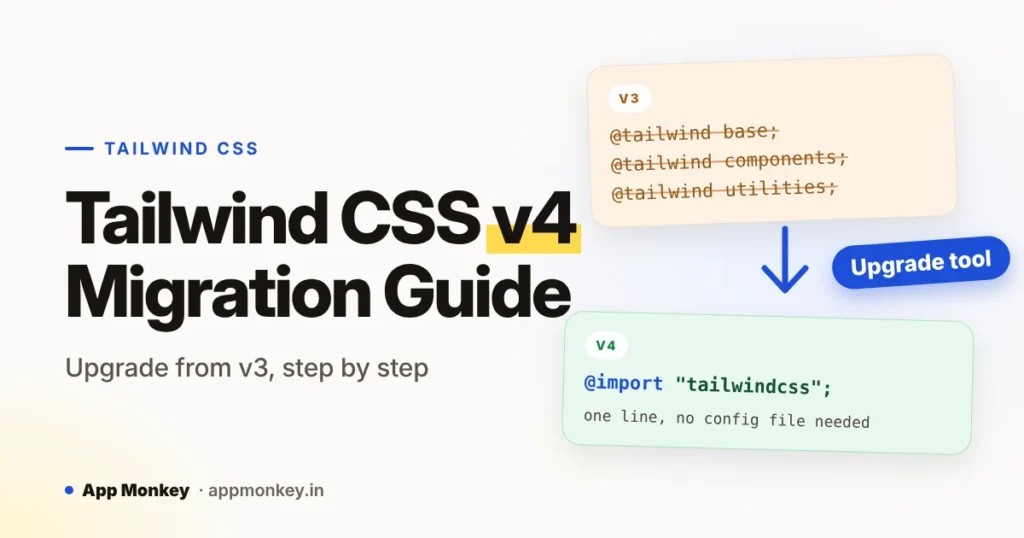
To upgrade from Tailwind CSS v3 to v4, run the official upgrade tool, npx @tailwindcss/upgrade, on a new branch and review what it changes. It handles most projects. This guide explains what it does and what to check by hand: the @tailwind directives become one @import "tailwindcss", the PostCSS plugin, Vite plugin and CLI move to their own packages, configuration moves toward CSS, and some utilities and defaults change.
If you landed here because npx tailwindcss init stopped working, read why that command no longer works first, then come back to upgrade an existing project.
Last checked against the official Tailwind CSS upgrade guide: October 29, 2026.
Before you start
Check three things before you touch your project.
- Browser support. Tailwind v4 targets Safari 16.4, Chrome 111 and Firefox 128 and newer. If you must support older browsers, the upgrade guide says to stay on v3.4.
- Node.js version. The upgrade tool needs Node.js 20 or higher.
- Sass, Less or Stylus. Tailwind v4 is not designed to be used with CSS preprocessors. Tailwind itself handles imports, nesting and vendor prefixes, so you will need to drop these from the stylesheets Tailwind processes.
Then create a new branch and commit any pending work. You want a clean diff so you can see exactly what the upgrade changed.
Step 1: Run the upgrade tool
Tailwind ships an official upgrade tool. From your project root, on your new branch:
npx @tailwindcss/upgradeAccording to the upgrade guide, it handles dependencies, configuration migration and template changes for most projects. When it finishes:
- Read the diff line by line. Do not commit it blind.
- Start your dev server and click through your key pages in the browser.
- Commit the result on its own, so any manual fixes that follow are easy to review.
The rest of this guide explains what the tool changes and what to check by hand. If the tool fails on your project, or you prefer to understand each change, you can make the same changes manually.
Step 2: Replace the @tailwind directives
In v3, your main stylesheet started with three @tailwind directives. In v4 you import Tailwind with one line:
/* v3 */
@tailwind base;
@tailwind components;
@tailwind utilities;

/* v4 */
@import "tailwindcss";
That single import replaces all three. Do this in the stylesheet your build tool processes, usually app.css, main.css or style.css.
Step 3: Switch your build tool
In v3, Tailwind ran as a PostCSS plugin inside the tailwindcss package. In v4 each integration has its own package. Pick the one that matches your setup.
Vite
Use the dedicated Vite plugin. Laravel's current front-end build runs on Vite, so most Laravel projects use this route.
npm install tailwindcss @tailwindcss/vite// vite.config.ts
import { defineConfig } from 'vite'
import tailwindcss from '@tailwindcss/vite'
export default defineConfig({
plugins: [
tailwindcss(),
],
})If your Vite config already has other plugins, such as the Laravel plugin, add tailwindcss() to the same plugins array. Remove the old tailwindcss and autoprefixer entries from your PostCSS config if you had them.
PostCSS
If you use PostCSS directly, the plugin moved to @tailwindcss/postcss.
npm install tailwindcss @tailwindcss/postcss postcss// postcss.config.mjs (v3)
export default {
plugins: {
"postcss-import": {},
tailwindcss: {},
autoprefixer: {},
},
}
// postcss.config.mjs (v4)
export default {
plugins: {
"@tailwindcss/postcss": {},
},
}The upgrade guide says imports and vendor prefixing are now handled automatically, so you can remove postcss-import and autoprefixer.
Command line
The CLI is now its own package, @tailwindcss/cli:
# v3
npx tailwindcss -i input.css -o output.css

# v4
npx @tailwindcss/cli -i input.css -o output.css
This is also why npx tailwindcss init no longer works: the tailwindcss package no longer contains the CLI. Our guide to fixing the init error covers that case.
Step 4: Move your configuration
This is the biggest change in thinking. In v3, tailwind.config.js was the centre of your setup. In v4, configuration is CSS-first, and a JavaScript config is no longer picked up automatically.
Keep your JS config for now
If you have a large tailwind.config.js and do not want to convert it yet, load it explicitly from your CSS. The path is relative to the stylesheet:
@import "tailwindcss";
@config "../../tailwind.config.js";
Not everything in a v3 config carries over. The upgrade guide says corePlugins, safelist and separator are not supported. To safelist utilities in v4, use @source inline(); see the guide for its syntax.
Move theme values into CSS
Theme values are now CSS variables defined inside @theme:
@import "tailwindcss";

@theme {
  --color-brand: oklch(62% 0.18 255);
}
In your own CSS, prefer the variable over the old theme() function: use var(--color-red-500) instead of theme(colors.red.500). In media queries, theme() still works with the variable name:
@media (width >= theme(--breakpoint-xl)) {
  /* ... */
}
If you used resolveConfig
resolveConfig is removed. Use the CSS variables directly, or read one in JavaScript:
getComputedStyle(document.documentElement).getPropertyValue("--shadow-xl")Renamed and removed utilities
The upgrade tool handles template changes for most projects. If you migrate by hand, or want to check its work, search your project for these. Two kinds of change are involved.
Removed: use the replacement
| v3 utility | Use in v4 |
|---|---|
bg-opacity-*, text-opacity-*, border-opacity-*, divide-opacity-*, ring-opacity-*, placeholder-opacity-* | Opacity modifiers, such as bg-black/50 |
flex-shrink-* | shrink-* |
flex-grow-* | grow-* |
overflow-ellipsis | text-ellipsis |
decoration-slice | box-decoration-slice |
decoration-clone | box-decoration-clone |
Renamed: same idea, new scale
These are the dangerous ones. Both names still exist in v4, but they now mean different things, so an un-renamed shadow-sm silently changes how your page looks.
| v3 | v4 |
|---|---|
shadow-sm | shadow-xs |
shadow | shadow-sm |
drop-shadow-sm | drop-shadow-xs |
drop-shadow | drop-shadow-sm |
blur-sm | blur-xs |
blur | blur-sm |
backdrop-blur-sm | backdrop-blur-xs |
backdrop-blur | backdrop-blur-sm |
rounded-sm | rounded-xs |
rounded | rounded-sm |
outline-none | outline-hidden |
ring | ring-3 |
The outline-none change is worth a note: in v4, outline-none actually sets outline-style: none. If you want the old behaviour, use outline-hidden.
What will look different after the upgrade
Even with every utility renamed, some pages look slightly off after upgrading, because several defaults changed. This is where most surprises come from, so check these visually.
| What | In v3 | In v4 |
|---|---|---|
| Default border and divide colour | gray-200 | currentColor |
ring width and colour | 3px, blue-500 | 1px, currentColor (use ring-3 and name a colour) |
| Placeholder colour | gray-400 | Current text colour at 50% opacity |
| Button cursor | pointer | default |
<dialog> margins | Browser default | Reset by Preflight |
hover: variant | Applies on any device | Only on devices that support hover |
hidden attribute | Overridden by classes like flex | Wins over display classes like flex (except hidden="until-found") |
If you want the v3 look back, the upgrade guide gives snippets for each. The three you are most likely to need:
/* Restore the v3 default border colour */
@layer base {
  *,
  ::after,
  ::before,
  ::backdrop,
  ::file-selector-button {
    border-color: var(--color-gray-200, currentColor);
  }
}

/* Restore pointer cursors on buttons */
@layer base {
  button:not(:disabled),
  [role="button"]:not(:disabled) {
    cursor: pointer;
  }
}

/* Restore the v3 ring defaults (for compatibility only) */
@theme {
  --default-ring-width: 3px;
  --default-ring-color: var(--color-blue-500);
}
The guide notes the ring variables exist for compatibility, so plan to replace ring with ring-3 plus an explicit colour such as ring-blue-500 over time.
To keep dialogs centred, add dialog { margin: auto; } inside @layer base. To keep the old hover behaviour on touch devices, add @custom-variant hover (&:hover);.
Prefixes, arbitrary values and custom utilities
A few syntax changes are easy to miss because they do not break the build.
Prefixes now work like variants and go at the start of the class. Set one when you import Tailwind:
@import "tailwindcss" prefix(tw);<div class="tw:flex tw:bg-red-500 tw:hover:bg-red-600">The important modifier moves to the end of the class. The old position still works but is deprecated:
<div class="flex! bg-red-500! hover:bg-red-600/50!">CSS variables in arbitrary values use parentheses instead of square brackets:
<!-- v3 -->
<div class="bg-[--brand-color]"></div>
<!-- v4 -->
<div class="bg-(--brand-color)"></div>
Commas in some arbitrary values are no longer converted to spaces, so use underscores. For example, grid-cols-[max-content,auto] becomes grid-cols-[max-content_auto].
Custom utilities no longer register through @layer utilities or @layer components. Use @utility:
@utility tab-4 {
  tab-size: 4;
}
Stacked variants now apply left to right, so first:*:pt-0 becomes *:first:pt-0.
Using @apply in Vue, Svelte and CSS modules
In v4, a stylesheet that is bundled separately from your main CSS cannot see your theme variables, custom utilities or variants. That covers CSS modules and the <style> blocks in Vue, Svelte and Astro components. If you use @apply there, import your main stylesheet with @reference:
<style>
  @reference "../../app.css";

  h1 {
    @apply text-2xl font-bold text-red-500;
  }
</style>
Or skip @apply and use the theme variables directly, for example color: var(--color-red-500);.
Remember the preprocessor rule too: Tailwind v4 is not designed to be used with Sass, Less or Stylus, so styles that go through Tailwind should be plain CSS.
Post-upgrade checklist
Work through this on your upgrade branch before you merge:
- The build passes in development and production
- Your stylesheet starts with
@import "tailwindcss";and the old@tailwindlines are gone - The correct plugin is in place:
@tailwindcss/vite,@tailwindcss/postcssor@tailwindcss/cli postcss-importandautoprefixerare removed if you use PostCSS- Your JS config is either loaded with
@configor moved into@theme - Searched your templates for removed utilities (
*-opacity-*,flex-shrink-*,flex-grow-*,overflow-ellipsis) - Replaced renamed utilities:
shadow,shadow-sm,blur,rounded,outline-none,ring - Looked at borders, dividers, rings, placeholders, buttons and dialogs in the browser
- Tested hover states on a touch device
- Checked
@applyin Vue, Svelte or CSS modules and added@referencewhere needed - Removed Sass, Less or Stylus from stylesheets that go through Tailwind
- Confirmed your supported browsers meet Safari 16.4, Chrome 111 and Firefox 128
FAQ
Is there a Tailwind v4 upgrade tool?
Yes. Run npx @tailwindcss/upgrade on a new branch. It needs Node.js 20 or higher. Review the diff and test in the browser afterwards.
Do I still need tailwind.config.js in v4?
Not by default. Configuration is CSS-first, with theme values defined in @theme. If you keep a JavaScript config, load it explicitly with @config. Note that corePlugins, safelist and separator are not supported.
What browsers does Tailwind v4 support?
Safari 16.4, Chrome 111 and Firefox 128 and newer. If you need older browsers, stay on Tailwind v3.4.
Why did my borders change colour after upgrading?
The default border and divide colour changed from gray-200 to currentColor. Add the base-layer rule shown above to restore the old colour, or set a colour explicitly on each element.
Do I still need PostCSS or Autoprefixer?
If you use PostCSS, use the @tailwindcss/postcss plugin. Imports and vendor prefixing are handled for you, so you can remove postcss-import and autoprefixer. With Vite, use @tailwindcss/vite instead.
Can I use Sass with Tailwind v4?
No. Tailwind says v4 is not designed to be used with Sass, Less or Stylus. Tailwind itself acts as the preprocessor.
Why does npx tailwindcss init not work in v4?
The CLI moved to its own package, @tailwindcss/cli, and v4 no longer needs an init step. Our guide to fixing the init error explains the new setup.




Join the conversation
What do you think?
Write a comment
No comments yet. Be the first to share a thought.