Laravel UpdatesLaravel Packages
Laravel Skills: Install and Use AI Agent Skills
What Laravel skills are, how to install them with one Artisan command, the skills worth using, and how to vet them before you do.
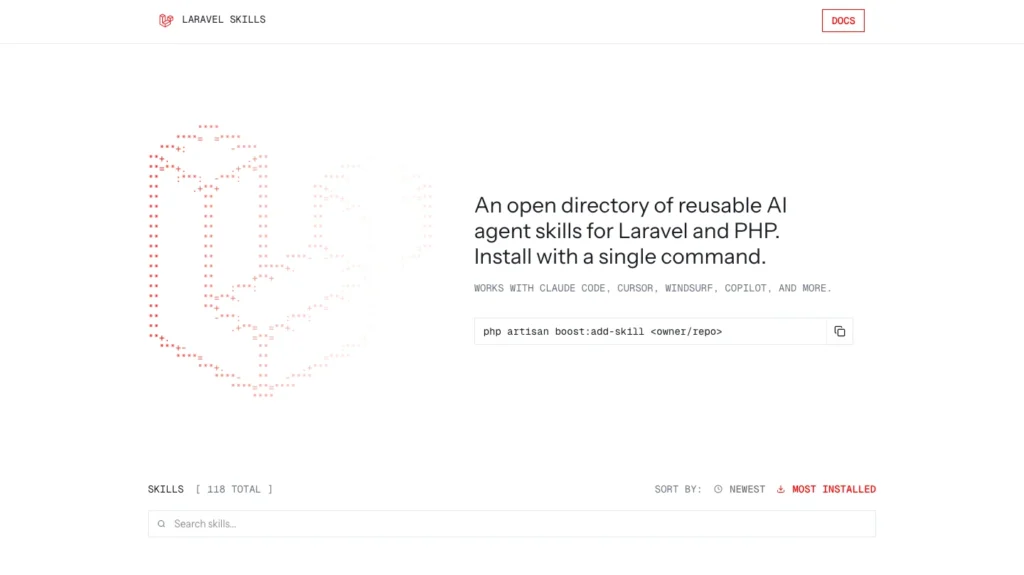
A Laravel skill is a small instruction pack, a single SKILL.md file, that teaches an AI coding agent how to do one job well in a Laravel project. You install skills through Laravel Boost, in three commands:
composer require laravel/boost --dev
php artisan boost:install
php artisan boost:add-skill owner/repo
The last command takes the GitHub owner and repository of a skill from the Laravel skills directory. It listed 1,319 skills when I checked on October 29, 2026. This guide covers what skills are, how to install and use them, which ones to try, how to write your own, and how to judge whether one is safe.
Last checked: October 29, 2026, against the Laravel Boost docs and the skills directory docs.
What are Laravel skills?
A skill is a folder containing a SKILL.md file. The file has a short YAML header with a name and a description, followed by Markdown instructions the agent reads when the task matches. Boost builds on the open Agent Skills format.
The key difference from a normal instructions file is when the text is loaded. Guidelines load at the start of every session. Skills load only when the agent is working in that area, so a testing skill does not use up space while you edit a migration.
That is why skills fit Laravel better than a one-size-fits-all copilot prompt. A generic assistant knows PHP in general. A skill can tell it how your project does things: which testing tool to use, how to structure a service class, which security checks to run before a merge.
Laravel Boost is the package that ties this together. Besides skills, it gives agents an MCP server to inspect your app, a documentation search tool, and project-specific rules stored in .ai/rules.
How to install a Laravel skill
You need a Laravel project, Composer, and one of the agents Boost supports: Cursor, Claude Code, Codex, GitHub Copilot in VS Code, or Junie.
- Install Laravel Boost as a development dependency.
composer require laravel/boost --dev - Run the installer and pick your agents and skills when asked.
php artisan boost:install
This writes the guideline and skill files for the agents you chose. If you already have aCLAUDE.mdorAGENTS.md, Boost replaces only the text inside its own<laravel-boost-guidelines>block and leaves the rest alone. Skills are chosen from yourcomposer.json; for example, havinglivewire/livewireinstalls thelivewire-developmentskill. - Find a skill in the directory. Each skill has its own page with a description, an owner and a copy button for the install command.
- Install it with the owner and repository:
php artisan boost:add-skill owner/repo
Boost also accepts a full GitHub URL, or a path to a skills folder inside a repo (owner/repo/.ai/skills). It then syncs the skill across your agents. - Check that your agent can see it. Open your agent and ask it which skills are available for this project, then run a task that matches the skill. Look at the skill files Boost added to your project so you know where they live.
- Keep skills current by running the update command, or by adding it to the
post-update-cmdscripts incomposer.jsonso it runs after everycomposer update.php artisan boost:update
Boost regenerates files such as CLAUDE.md, AGENTS.md and .mcp.json each time, so many teams add them to .gitignore. Commit the .ai/rules folder, since that holds your own project rules.
Laravel skills worth installing
The directory lists 1,319 skills, so start with two or three that match what you do every week. These are among the ones listed on its front page (names as shown there):
| Skill | What it does | Install when you want to |
|---|---|---|
laravel-specialist | Builds and configures Laravel 10+ apps: models, Sanctum auth, Horizon queues, API resources, Livewire | Give the agent solid general Laravel habits |
php-pro | PHP 8.3+ apps with Laravel or Symfony: strict typing, PHPStan, PSR standards, APIs | Keep PHP code strict and consistent |
laravel-patterns | Architecture: routing, Eloquent, service layers, queues, caching, API resources | Stop the agent putting logic in controllers |
laravel-security | Auth, authorization, Eloquent safety, CSRF, XSS, API security, deployment config | Add security checks to every feature |
laravel-verification | Pre-merge or pre-deploy checks: linting, static analysis, tests, coverage, security scans | Run one checklist before shipping |
laravel-tdd-affaan-m | Testing with PHPUnit and Pest: factories, HTTP tests, Sanctum testing, mocking | Get tests written alongside features |
test-guard | Reviews generated or changed tests against testing rules | Catch low-quality AI-written tests |
php-mcp-server-generator | Generates a PHP Model Context Protocol server with tools, resources, prompts and tests | Build an MCP server for your own app |
security-review | AI-based security scanner for many languages, including PHP | Scan a whole codebase |
Several skills appear twice, with and without an author suffix (for example laravel-patterns and laravel-patterns-affaan-m). Check the owner on the skill's page before you install.
Skills that ship with Boost. When you run boost:install, Boost can install skills for the packages you already use: fluxui-development, folio-routing, infer-conventions, inertia-react-development, inertia-svelte-development, inertia-vue-development, livewire-development, mcp-development, pennant-development, pest-testing, tailwindcss-development, volt-development and wayfinder-development. The infer-conventions skill is installed whatever your packages are.
How to choose: match skills to your real stack, read the SKILL.md before installing, and prefer fewer, sharper skills over installing everything.
Try it yourself: the same prompt with and without skills
The quickest way to see what a skill changes is to run one prompt twice. Use a fresh branch and a clean agent session each time.
The prompt:
Add an API endpoint that returns the logged-in user's invoices, with tests.Run it once with no extra skills, then again after installing laravel-patterns, laravel-security and laravel-tdd-affaan-m. Compare the two results against this checklist:
| What to check | Why it matters |
|---|---|
| Is validation in a form request or inline in the controller? | Shows whether architecture rules were applied |
| Does the endpoint check a policy or gate? | The most common security gap in generated code |
| Are relations eager-loaded? | Avoids N+1 queries |
| Does it return an API resource instead of raw models? | Controls what data leaves your app |
| Is there a test where user A requests user B's invoice? | Proves the authorization check works |
| Do the tests use factories and pass on the first run? | Shows the testing skill was followed |
Add your own result here before publishing: a screenshot or short diff from each run, and one sentence on what changed. Real output from your project is what makes this section credible, and I have not run it for you.
How to write your own Laravel skill
A skill for your own project is a folder with one file. Create it under .ai/skills/, named after what it does:
.ai/skills/creating-invoices/SKILL.mdThe header needs a name and a description. Write the description so it says when the skill applies, because that is how the agent decides to load it. Then add short sections for when to use it, the rules, and an example. Here is a sample (the class and policy names are placeholders for your own):
---
name: creating-invoices
description: Create and update invoices in this app. Use when a task touches invoices, line items, tax or invoice PDFs.
---

# Creating invoices

## When to use this skill
Use this skill when adding or changing anything related to invoices.

## Rules
- Create invoices through `App\Actions\CreateInvoice`, never with `Invoice::create()` in a controller.
- Store money as integer cents. Never use floats.
- Every invoice route must be covered by `InvoicePolicy`.

## Anti-patterns
- Calculating totals in Blade views.
Then run Boost's update command so it syncs the new skill to your agents:
php artisan boost:updateTo change how a built-in skill behaves, create a skill with the same name, for example .ai/skills/livewire-development/SKILL.md. Boost then uses your version instead.
Sharing a skill with others.
- Package authors can ship skills inside a Composer package at
resources/boost/skills/{skill-name}/SKILL.md. - To list a skill in the public directory, put a
SKILL.mdin askills/folder of a GitHub repository, withnameanddescriptionin the header. The optionalcompatible_agentsandtagsfields are available. Tag the repository with Laravel or PHP so it is imported automatically. - Community skills must pass three security audits (Gen Agent Trust Hub, Socket and Snyk) to be listed, and are re-checked on every daily import.
Skills vs AGENTS.md vs a Composer package
They are easy to mix up because all three can change how your project behaves. The difference is what each one is for.
| Skill | Guidelines file (AGENTS.md, CLAUDE.md) | Composer package | |
|---|---|---|---|
| What it is | Instructions for one task area, in a SKILL.md folder | Project-wide instructions for the agent | Code your application runs |
| When it loads | On demand, when the task matches | At the start of every session | At runtime, in your app |
| Where it lives | .ai/skills/{name}/SKILL.md or installed with boost:add-skill | Project root; Boost manages its own <laravel-boost-guidelines> block | vendor/ |
| How you add it | php artisan boost:add-skill owner/repo | php artisan boost:install, or edit the file | composer require |
| Best for | Know-how for a specific job, like testing or security review | Rules that are always true for the project | Functionality your app needs |
A package can also ship its own skills and guidelines, so installing it and running php artisan boost:install can bring both. Use a guidelines file for things the agent must always remember, and a skill for things it only needs now and then.
Is it safe to install a skill?
Treat a skill like any code you pull into a project. It is text that your agent follows, so a careless or malicious one can steer the agent, for example by telling it to run commands or skip checks.
The directory has some protection. Its docs say community skills must pass three security audits (Gen Agent Trust Hub, Socket and Snyk) to be listed, and are re-checked on every daily import. Skills from the Laravel team itself skip that check. Audits reduce the risk but do not remove it, so look for yourself:
- Read the whole
SKILL.md. It is short. If the skill includes scripts or templates, read those too. - Check the owner and repository. Look at who maintains it, how recently it was updated, and its license.
- Be suspicious of instructions to run shell commands, fetch outside URLs, read
.envfiles or secrets, or turn off tests or security checks. - Install on a branch and review the files Boost adds before you merge.
- Keep production credentials out of the agent's reach, whichever skills you use.
FAQ
What are Laravel skills? Small instruction packs, each a SKILL.md file, that teach an AI coding agent how to handle one kind of task in a Laravel project.
Do I need Laravel Boost to use them? Yes. boost:add-skill is a Laravel Boost command, so install Boost first with composer require laravel/boost --dev and php artisan boost:install.
Do Laravel skills work with Laravel 13? Boost's docs list guidelines for Laravel 10.x through 13.x. Each skill states its own range; for example, laravel-specialist is described as covering Laravel 10+. Check the skill's description before installing.
Which AI tools support them? Boost's docs name Cursor, Claude Code, Codex, GitHub Copilot in VS Code and Junie. The skills directory also mentions Windsurf. Other agents can be added by extending Boost's agent class.
How do I remove a skill? The docs do not show a remove command. Skills are folders containing a SKILL.md, so deleting the folder and running php artisan boost:update is the likely route; try it on a branch first.
What is the difference between a skill and AGENTS.md? A guidelines file loads at the start of every session. A skill loads only when its topic comes up. See the comparison table above.
Is it safe to install skills from the directory? Community skills must pass three security audits to be listed, but you should still read the SKILL.md before installing. The checklist above shows what to look for.



Join the conversation
What do you think?
Write a comment
No comments yet. Be the first to share a thought.